
- 01
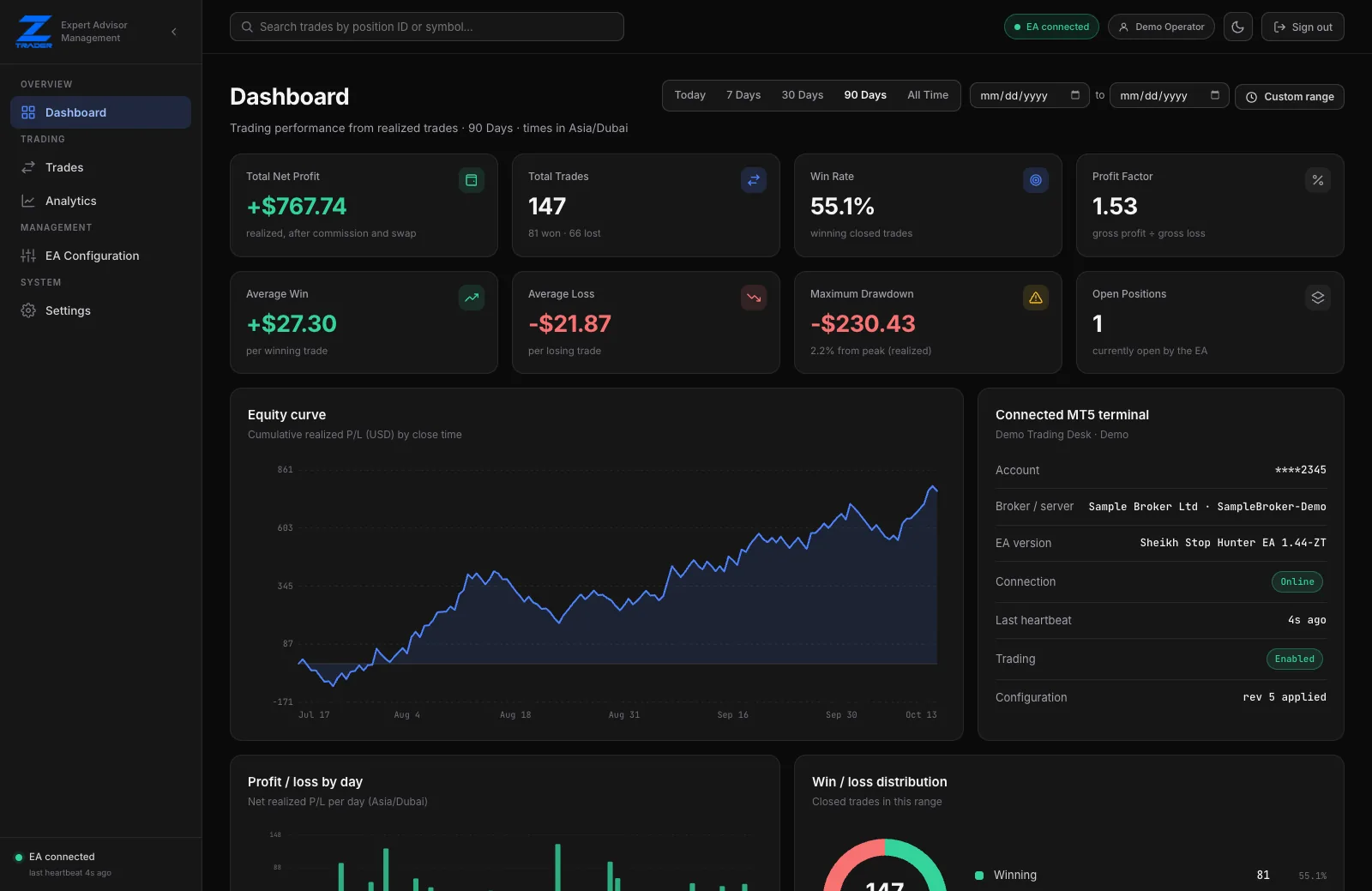
The whole account at a glance
Net profit, win rate, drawdown and the equity curve for any period.
- 02
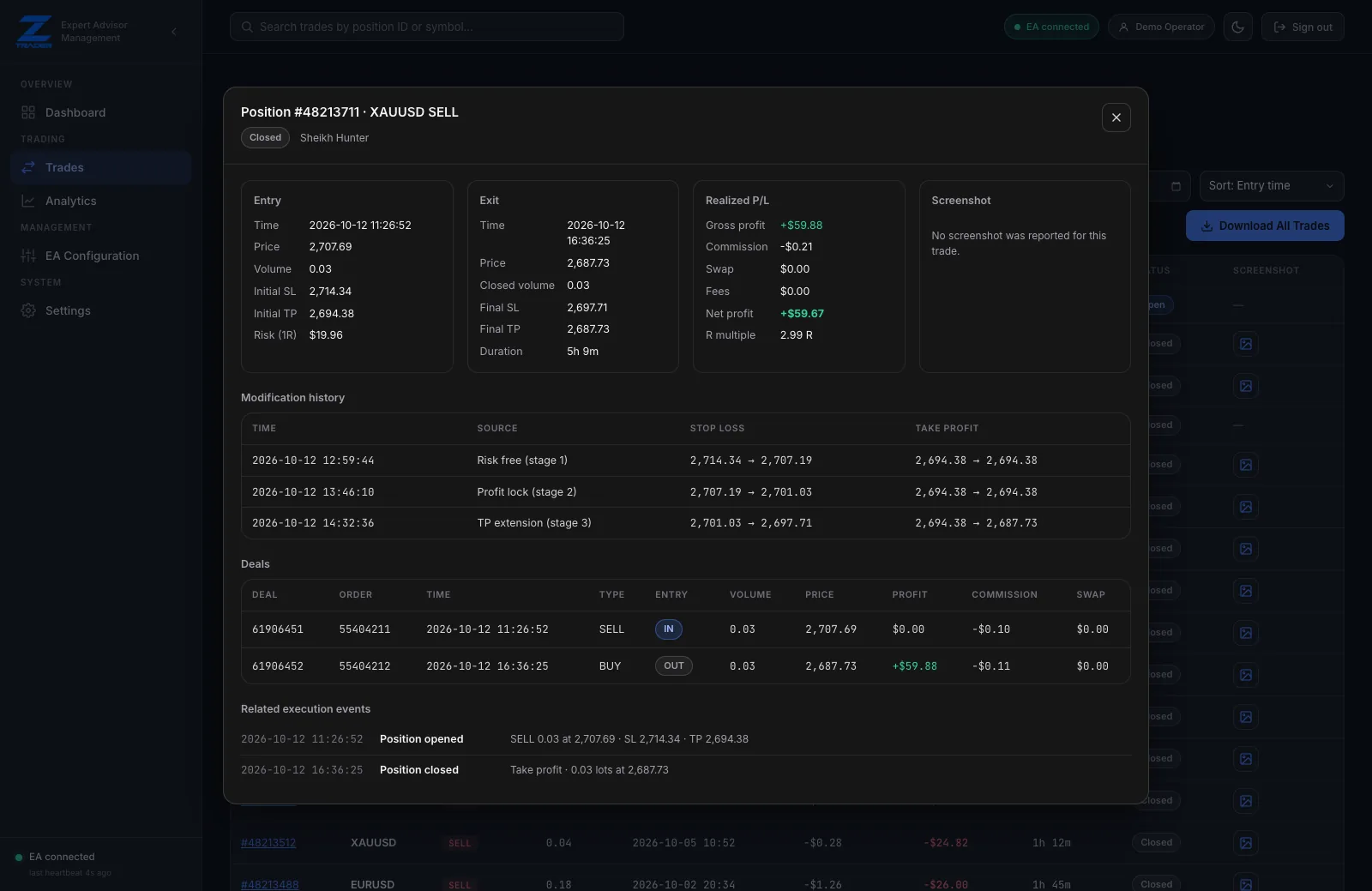
Every trade, with its story
Deals, stop changes and events for each position, in one window.
- 03
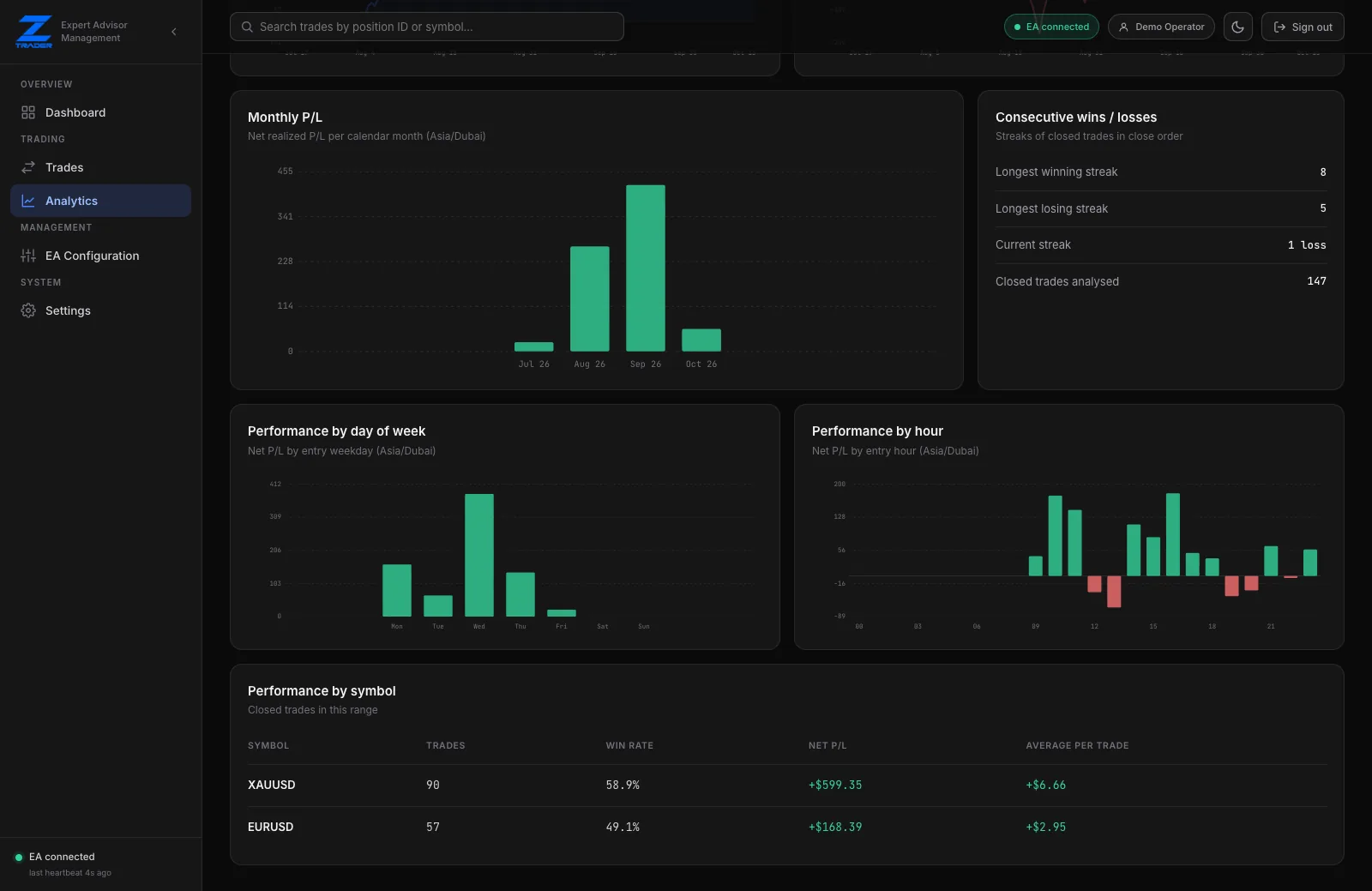
See what works
Results by month, weekday and hour, with drawdown and streaks.
- 04
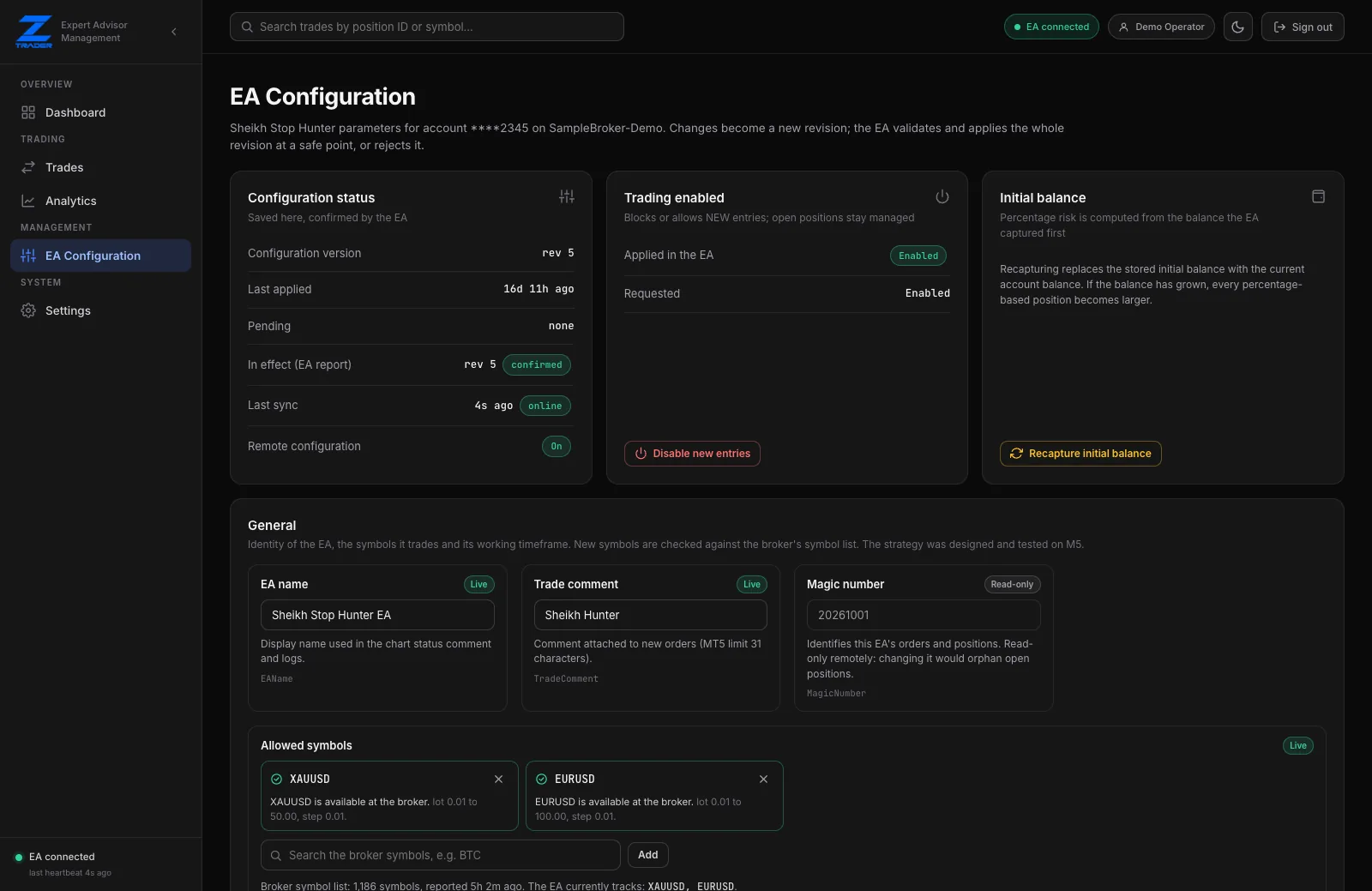
Change settings safely
Grouped settings, revision history and the trading switch, in sync with the EA.
- 05
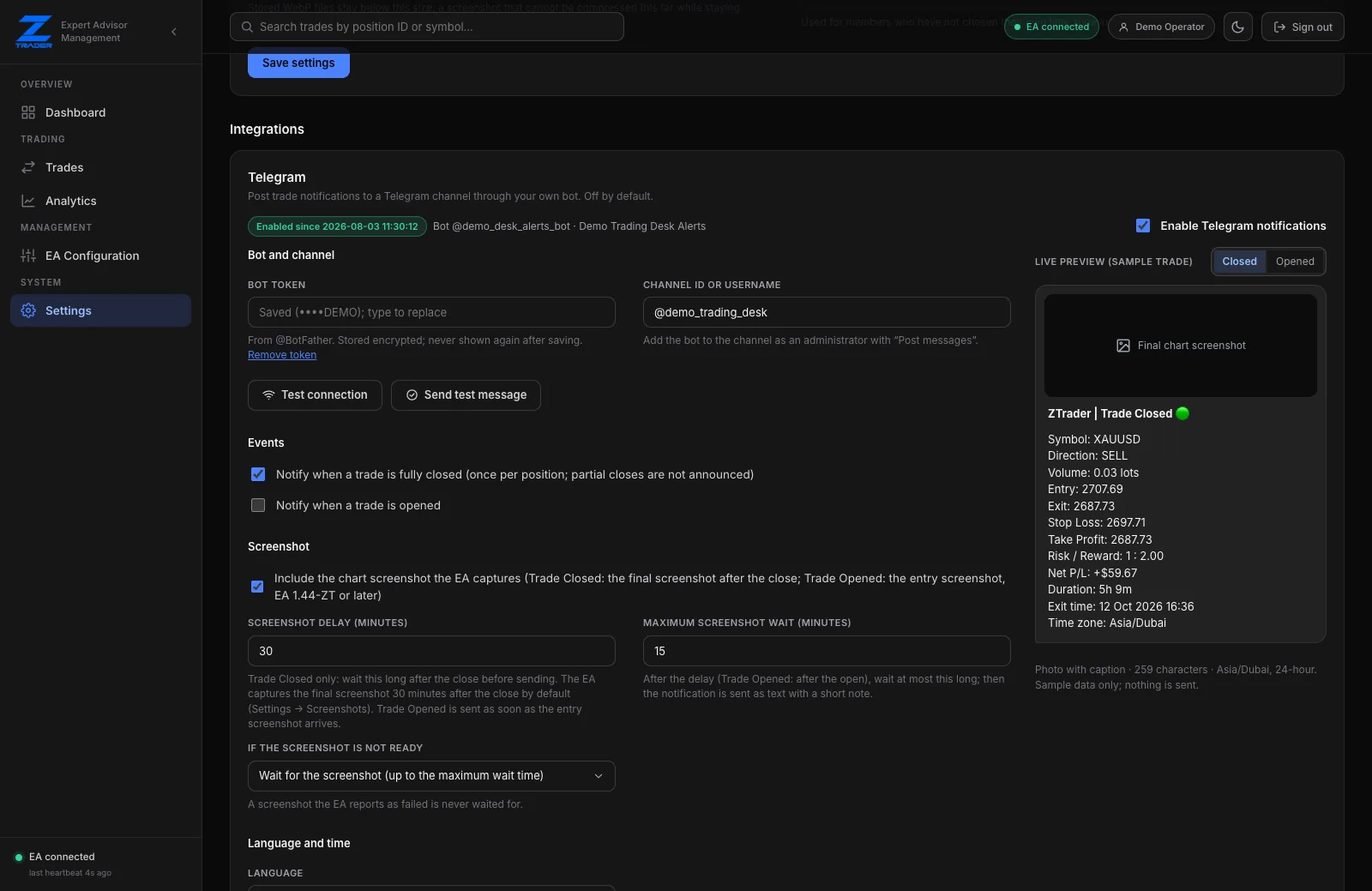
Keep the team informed
Preview the Telegram message, chart included, before you switch notifications on.
zTrader
Trading & Analytics · Expert Advisor management
Management panel for MetaTrader 5 Expert Advisors
zTrader links a MetaTrader 5 Expert Advisor to a secure web panel: change its settings safely, see every trade with its chart and read your performance without exporting a spreadsheet.
Live. Setup for your EA and access for your team are arranged with us.
Why zTrader
Changing an EA on a remote terminal means a remote desktop session, a typo risk and no record of what changed. The trade history stays locked inside the terminal.
In zTrader every setting change is a revision you can roll back, and every trade is kept with its chart
Trading teams that run an Expert Advisor on MetaTrader 5 and want control over its changes and results.
Product tour
zTrader, screen by screen
Real zTrader panel screens, shown with simulated sample data (not a real account).
How it works
How zTrader works with your terminal
The EA records
The Expert Advisor writes its events and status to local files. It never touches the network itself.
The bridge delivers
A zTrader service on the same terminal sends them over HTTPS with a key issued for that terminal.
zTrader rebuilds
Deals are stored once and every position is rebuilt from them, with its chart and statistics.
You adjust
Settings changed in the panel travel back through the bridge; the EA confirms once they are applied.
Capabilities
What zTrader can do
Remote EA configuration
All inputs of the integrated EA, checked on the server and again in the EA, saved as versions you can roll back
Guarded risk changes
Raising risk asks you to type CONFIRM; the EA applies a revision only at a safe point, or rejects it whole
Trading switch
One switch stops new entries while open positions keep being managed
A chart for every trade
A chart screenshot is taken automatically after each position closes and kept with the trade
Performance analytics
Net profit, win rate, profit factor, drawdown, equity curve, R multiples and results by symbol, weekday and hour
Telegram trade alerts
Trade messages to your own Telegram bot, with the chart attached. Off until you switch them on
Full export
Every trade as CSV, with its chart screenshots, in one archive
Roles
Viewer, operator and admin, enforced on the server
Security and reliability
What keeps your data safe
Central sign-in
zPayLink sign-in with two-step verification; the session is re-checked every few seconds
Isolated data
Each organisation is separated by row-level security in the database
Keys and secrets
Terminal keys are stored only as hashes; the Telegram bot token is encrypted
Local limits
The EA enforces its own hard risk caps, whatever the panel sends
Pricing, API and solutions
Solutions
Related products
More from zPayLink
zPulseMetaTrader server monitoringMetaTrader 5 server monitoring for brokers and prop firms: measures real execution latency and terminal health and alerts on slowdowns before clients notice.Explore zPulsezRateLive market ratesLive currency, gold, coin and crypto rates in toman and dollars, for teams whose pricing and trading depend on them.Explore zRate
Get started with zTrader
Sign in to the panel, or call us for a demo, setup and pricing.
+971 55 970 5157